In the Candidate portal, only a summary of their results can be downloaded.
On the Recruiter side, you have several comprehensive reports that you can be emailed to candidates directly from the platform.
From your network
- Search in your network for the candidate you wish to send the reports to
- Hover your mouse over the card and click on the arrow button ⤵️
- Select the reports you wish to send them
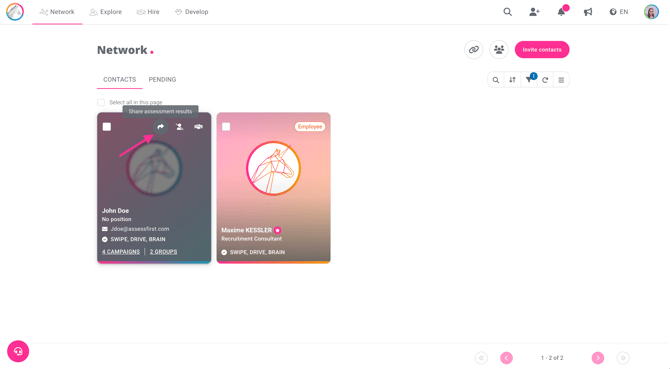
You can also send reports in bulk:
- Select candidates from your network
- Click on the arrow icon at the bottom of the page ⤵️
- Select the reports you wish to send them
.gif?hsLang=en)
From the candidate profile
- Click on the three dots in the candidate's information box
- Select “Share results”
- Select the reports you wish to send them.
.gif?hsLang=en)
You can also choose to customize reports with a predictive model selected at the bottom of the page. A fit report will be sent to the candidate.