The integration between Ashby and AssessFirst allows you to send assessment invitations directly from your ATS and automatically retrieve results in the candidate profile.
Prerequisites
- Have an Ashby account with administrator rights
- Have an active AssessFirst account
Step 1 — Generate an API key in Ashby
- Log in to your Ashby account.
- Go to Admin > Integrations > API Keys.
- Click + New to generate a new API key.
- Name the key (e.g.: AssessFirst), select AssessFirst as the Integration Partner, then confirm.
- Copy the generated key — it will no longer be visible after closing the window.
Step 2 — Activate the integration in AssessFirst
- Log in to your AssessFirst Space.
- Go to Integrations from the main menu.
- Find the Ashby card and click on it.
- Paste the API key copied from Ashby into the Token field.
- Click Activate to confirm.
A confirmation message "Ashby integration successfully activated" appears, along with an AssessFirst access token automatically generated.
Step 3 — Add the AssessFirst token in the Ashby marketplace
- From your Ashby account.
- Go to Admin > Integrations > Integrations.
- Go to the AssessFirst card.
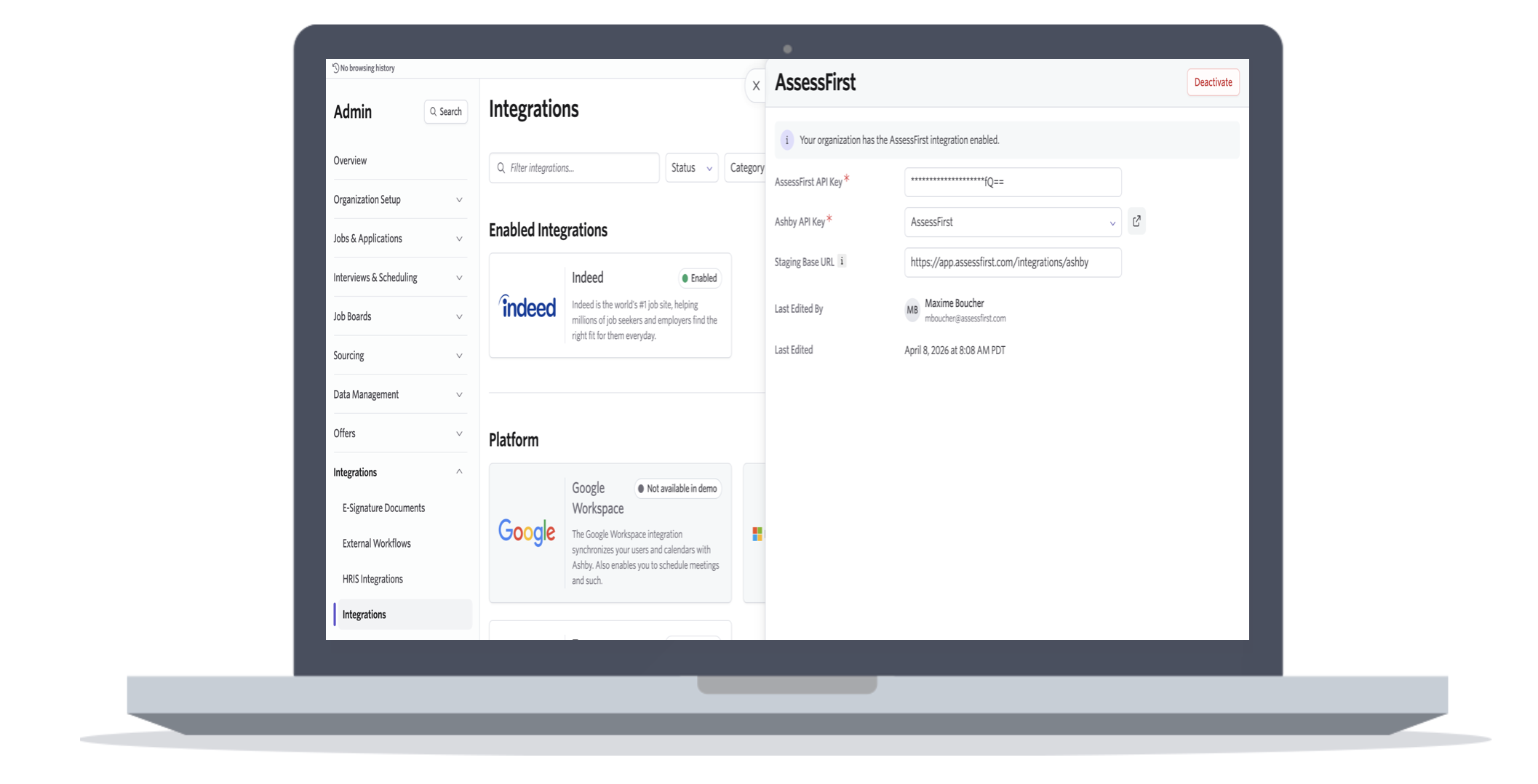
Enter the following settings:
- AssessFirst API key: Token that was generated in the previous step
- Ashby API key: AssessFirst (Token created in step 1)
✅ The integration is activated
Ashby and AssessFirst are now connected. You can send assessment invitations directly from candidate profiles in Ashby.
👉 See the article "How to use the Ashby integration" to learn how to send an invitation and view results.