Activate the integration in TeamTailor
-
Go to your account at the top right
-
Click on the « MarketPlace » tab
-
Then click on « Assessment » and activate « AssessFirst »
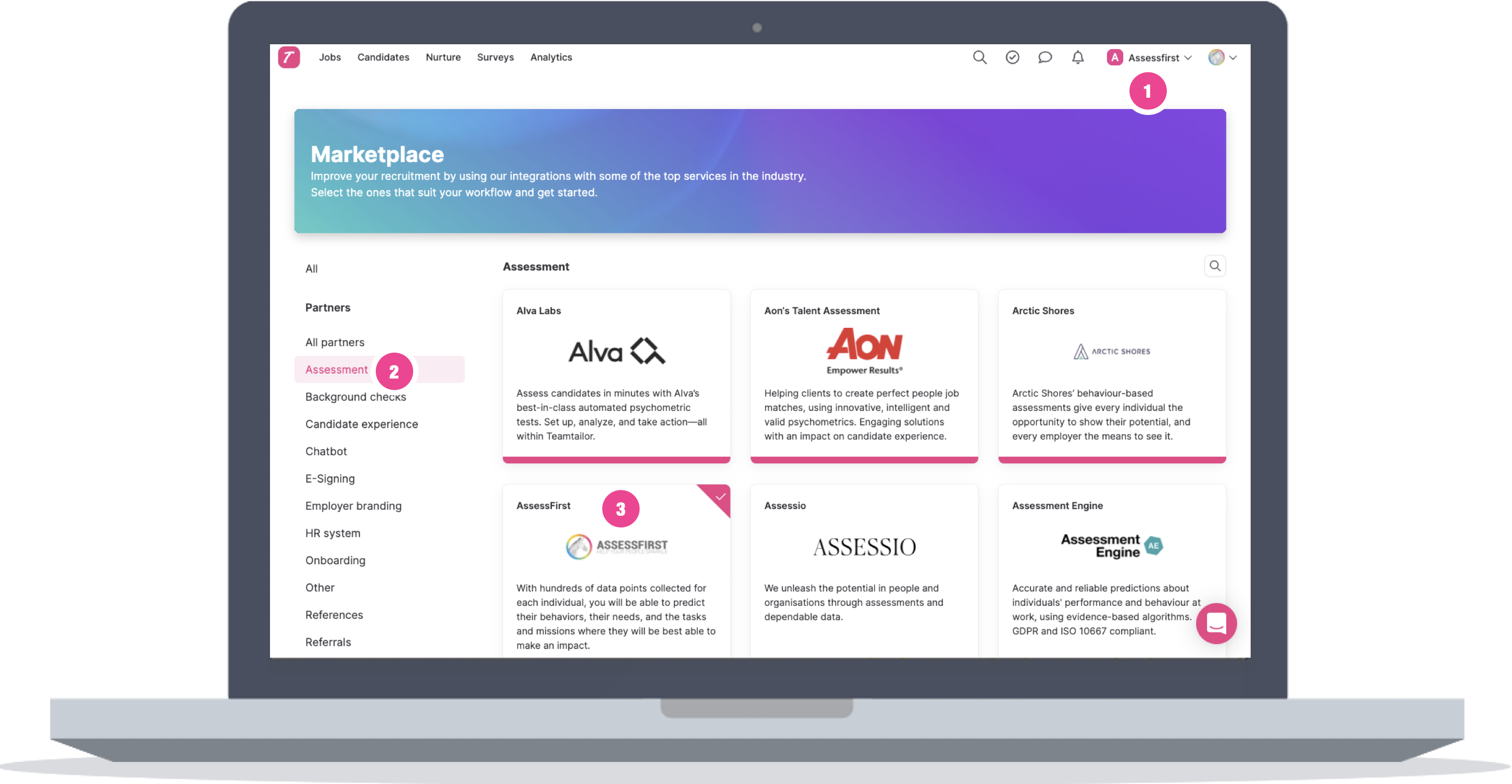
Once AssessFirst is activate :
2/ Activate the integration in AssessFirst
-
Click on the icon on the top right to access your settings and select Integrations
-
Click on TeamTailor
-
Click on activate
-
Paste the token generated in TeamTailor and the company ID
You can find your company ID in the TeamTailor URL

To learn how to use the integration with TeamTailor, click here.