How to set up a predictive model in your job requisition?
How to send an invitation to a candidate?
How to view candidates' results?
How to set up a predictive model in your job requisition?
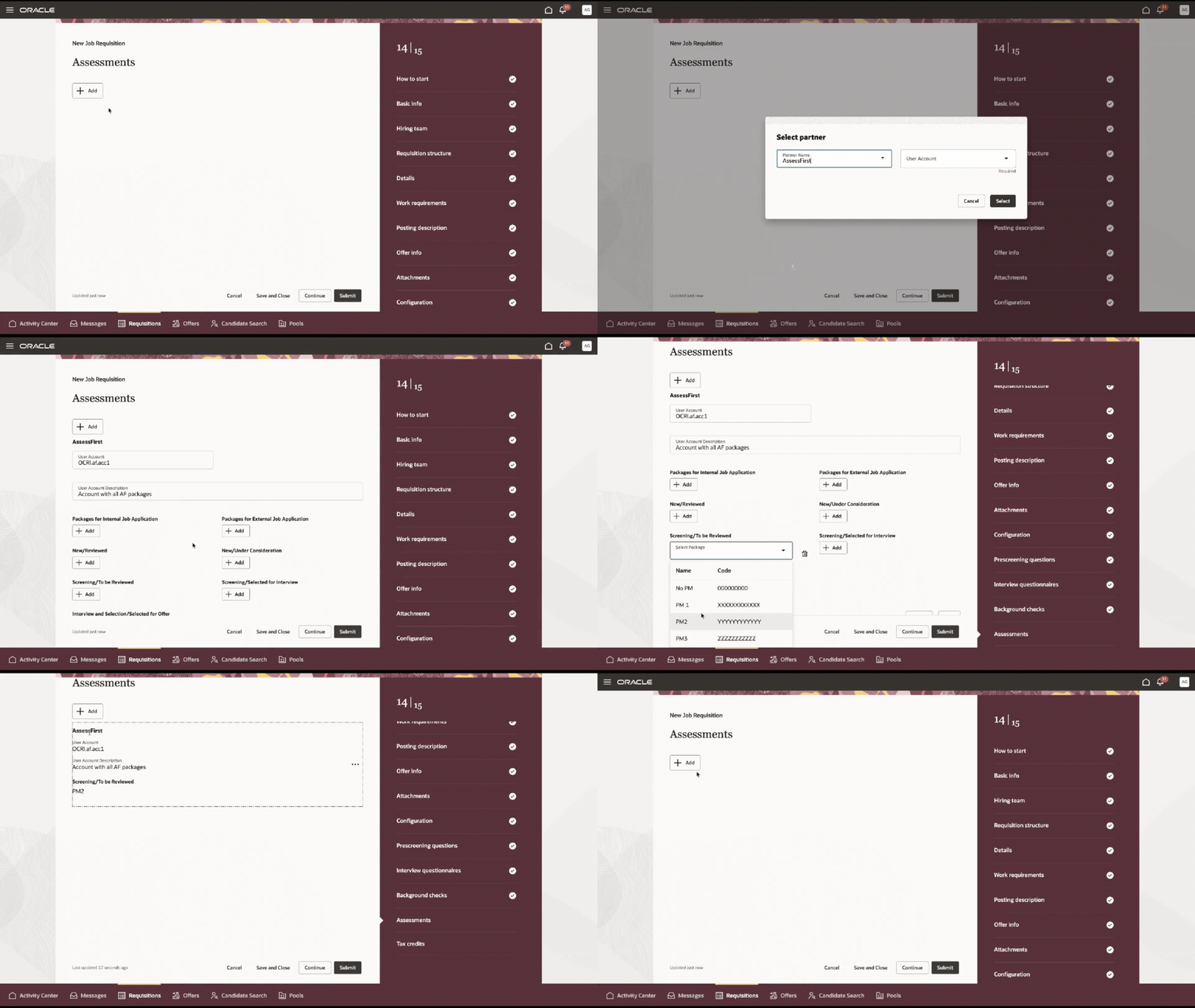
In the "Assessments" page:
-
Click on the "Add" button
- In the field "Partner Name", select "AssessFirst" in the dropdown menu
- Select the "User Account"
- Then, choose at which stage of the job requisition workflow you wish to add the assessments
- Click on the "Add" button under the stage you choose
- Select the predictive model in the dropdown menu of the field "Select Package"
How to send an invitation to a candidate ?
The invitation to complete the questionnaires will be sent to candidates once you have moved them to the stage you selected when creating the job requisition.
For example, if you have defined the “Screening/To be reviewed” stage as the stage at which to send the questionnaires, candidates will receive an invitation once they have reached this stage.
How to view candidates' results ?
- Click on the "Administer Workforce" tab and select the "Hiring" button
- Select the "Requisitions" tab at the bottom of the page
- Identify the job requisition you wish to work on and click on the number highlighted in the column "Applications"
- To view the results' details, click on the candidate's name
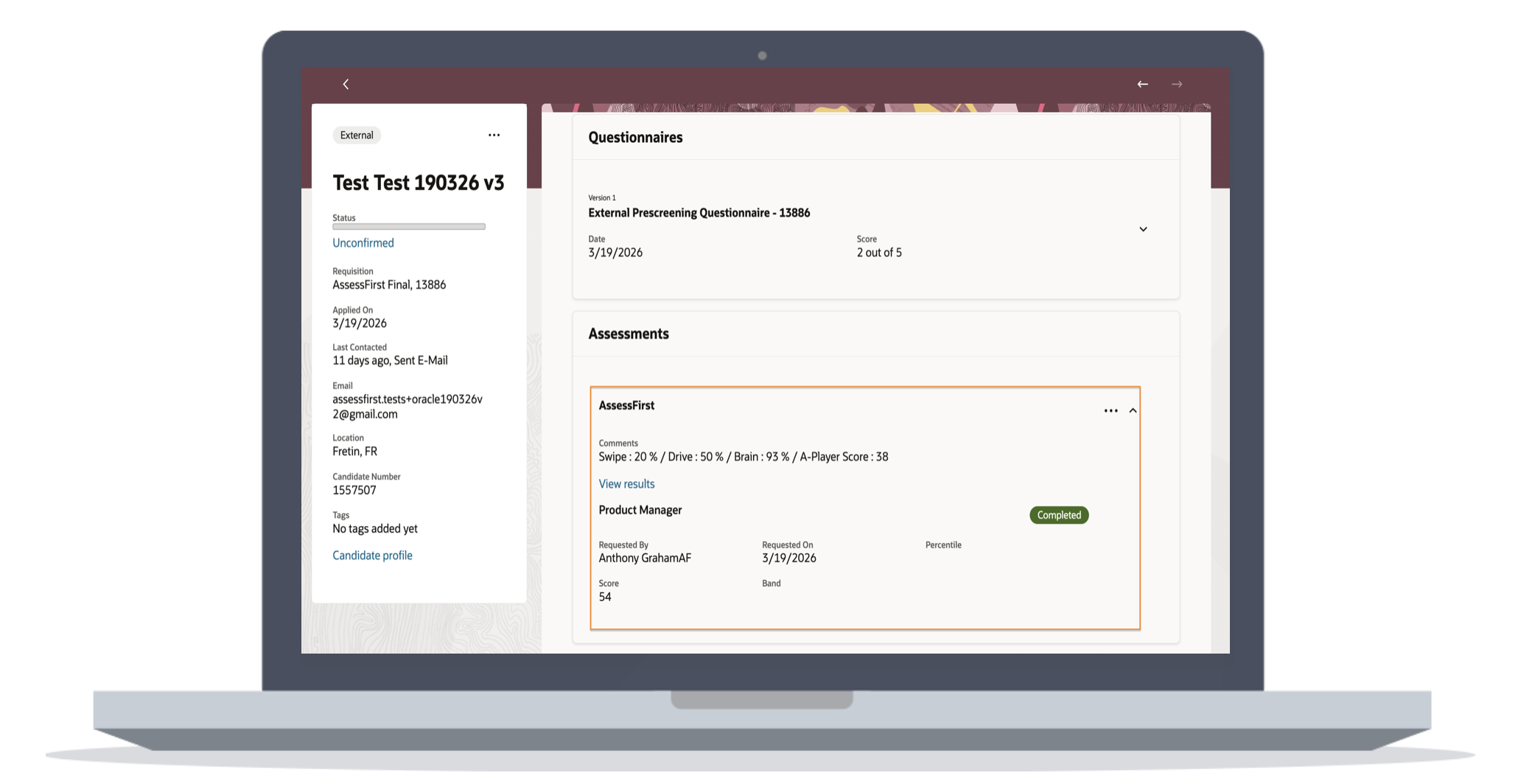
- In the "Screening" tab, there is an assessment section where you can find the following information:
- in the comments field, you see the breakdown of the score (SWIPE, DRIVE, BRAIN) with the global fit score
- the predictive model on which the candidate has been evaluated
- the status of the tests
- the person who requested the assessments
- the date of the invitationIn the "Assessment" column, if there is a score, it means the candidat took the questionnaires.
- Press the "View results" button to access the reports.
To learn how to activate the integration with Oracle, click here.