Would you like to follow up with a candidate who has not yet completed their AssessFirst questionnaires? You can send them a reminder directly from the platform in just a few clicks.
When should I use the reminder feature?
What types of reminders are sent automatically by AssessFirst?
When should I use the reminder feature?
The reminder feature is useful when a candidate:
- has received the invitation to take their assessments but has not yet accepted your invitation,
- has received the invitation to take their assessments but has not yet completed them,
- has started the assessment process but has not finished it,
- did not receive or has lost the access link to their account.
How do I send a reminder?
From your network
-
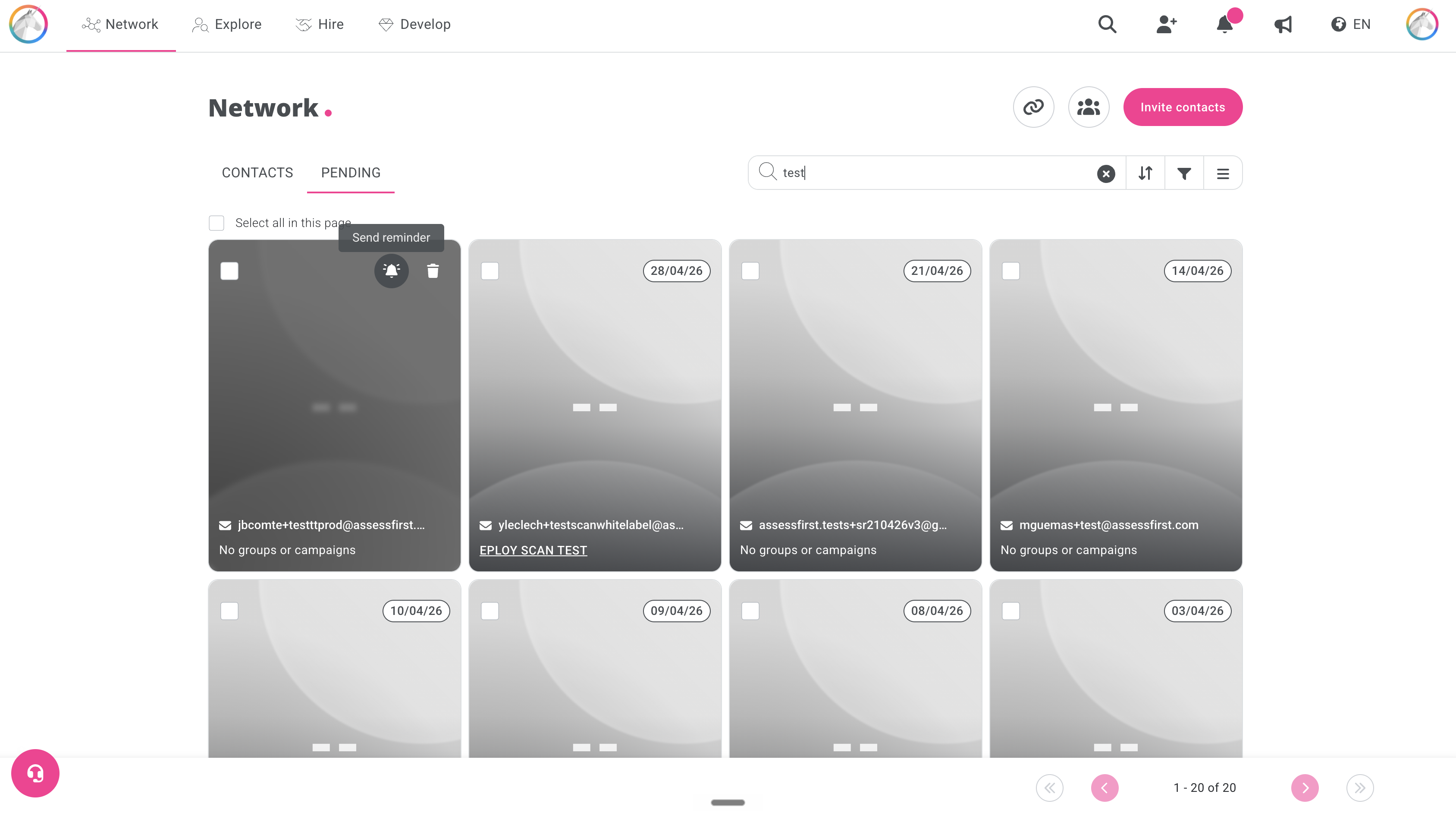
In the “Pending” tab, to follow up with a candidate who has not yet accepted your invitation:
-
Find the profile of the candidate you want to follow up with
-
Click the bell icon "Send reminder" located at the top right of the profile card
-
-
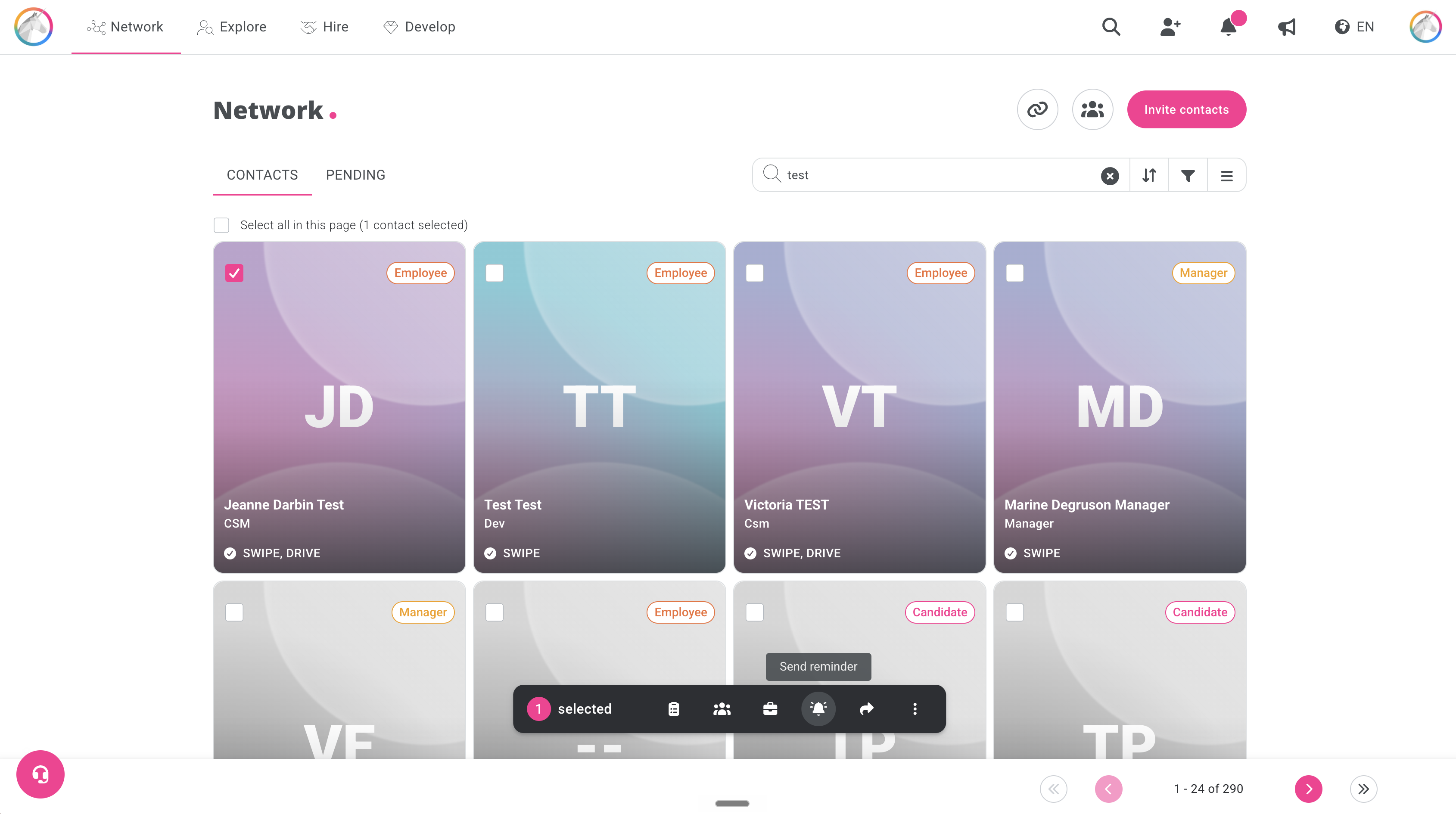
In the “Contacts” tab, to follow up with a candidate who has accepted your invitation but has not yet completed the questionnaires:
- Find the profile of the candidate you want to follow up with
- Select the candidate’s profile
- Click the bell icon in the menu bar at the bottom of the page
From the candidate’s profile
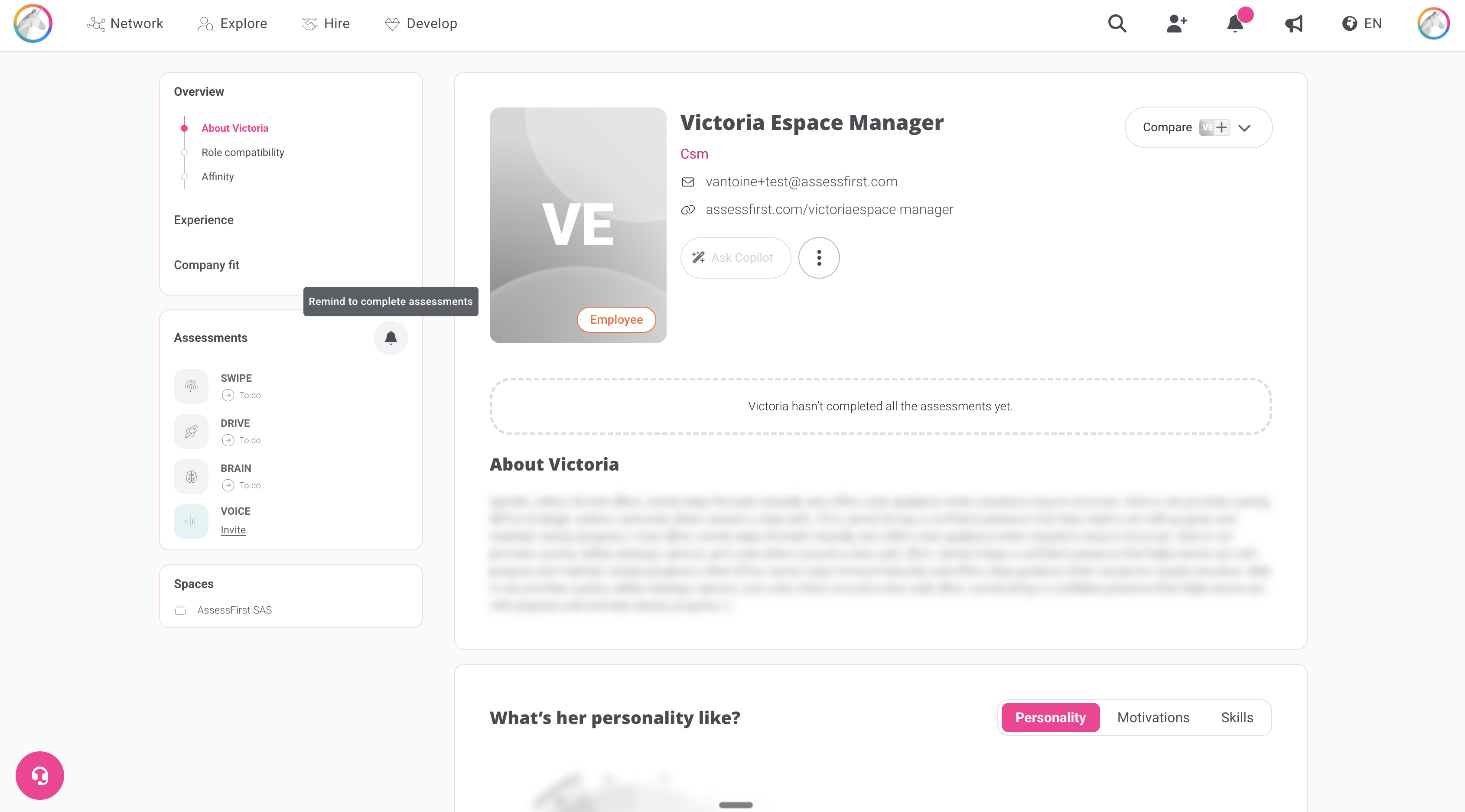
- Go to the profile of the candidate you want to follow up with
- Click on the bell icon in the “Questionnaires” section in the left-hand menu
From a campaign
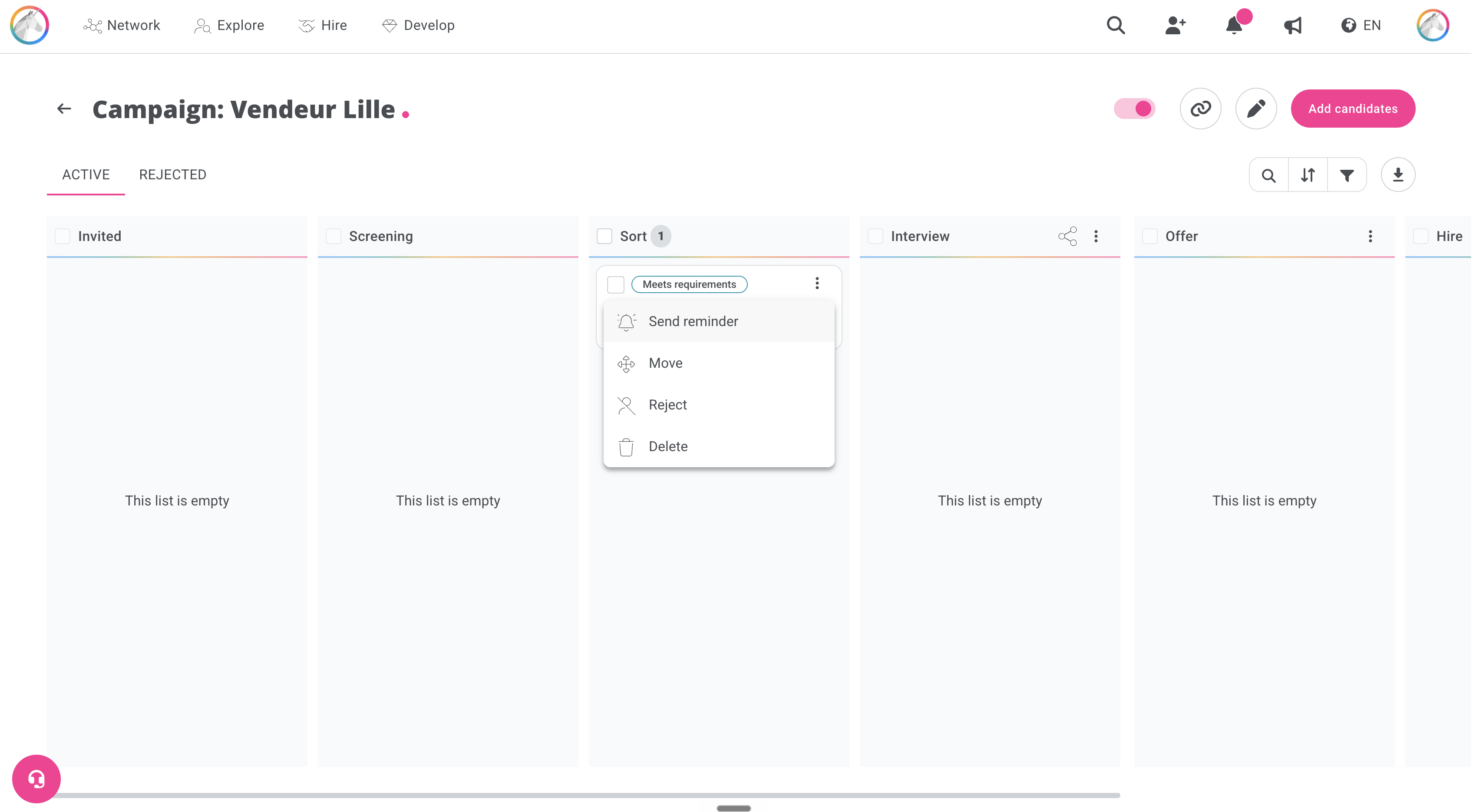
- You can select one or more candidates to follow up with
- Click the three dots at the top and select the “Send reminder” option
What types of reminders are sent automatically by AssessFirst?
AssessFirst automatically sends reminder emails at different stages of the invitation process. Below is an overview of the three types of reminders available.
Reminders to create an account
These reminders are intended for users who have received an invitation to create an AssessFirst account but have not yet confirmed it.
Two reminders are sent: 24 hours and 72 hours after the invitation.
Recruiter invitation reminders
These reminders are intended for users who already have a validated account but have not yet accepted a pending recruiter invitation.
Two reminders are sent: 24 hours and 72 hours after the invitation.
Assessment completion reminders
These reminders are intended for users who still have a SWIPE, DRIVE, BRAIN, VOICE, or SCAN questionnaire to complete.
Two reminders are sent: 24 hours and 72 hours after account activation.